Distributions
A distribution is what opens a campaign to an audience, and it carries everything about that opening: when it runs, how many responses it will take, what participants earn, who is allowed in, and the values your variables hold for them.
One campaign can have several distributions. That is how you put the same questions to two audiences, or run the same campaign in two periods, and keep each set of answers apart. Results can be read for the whole campaign or for one distribution at a time.
Until a campaign has a published distribution, nobody can take part in it.
Creating a distribution
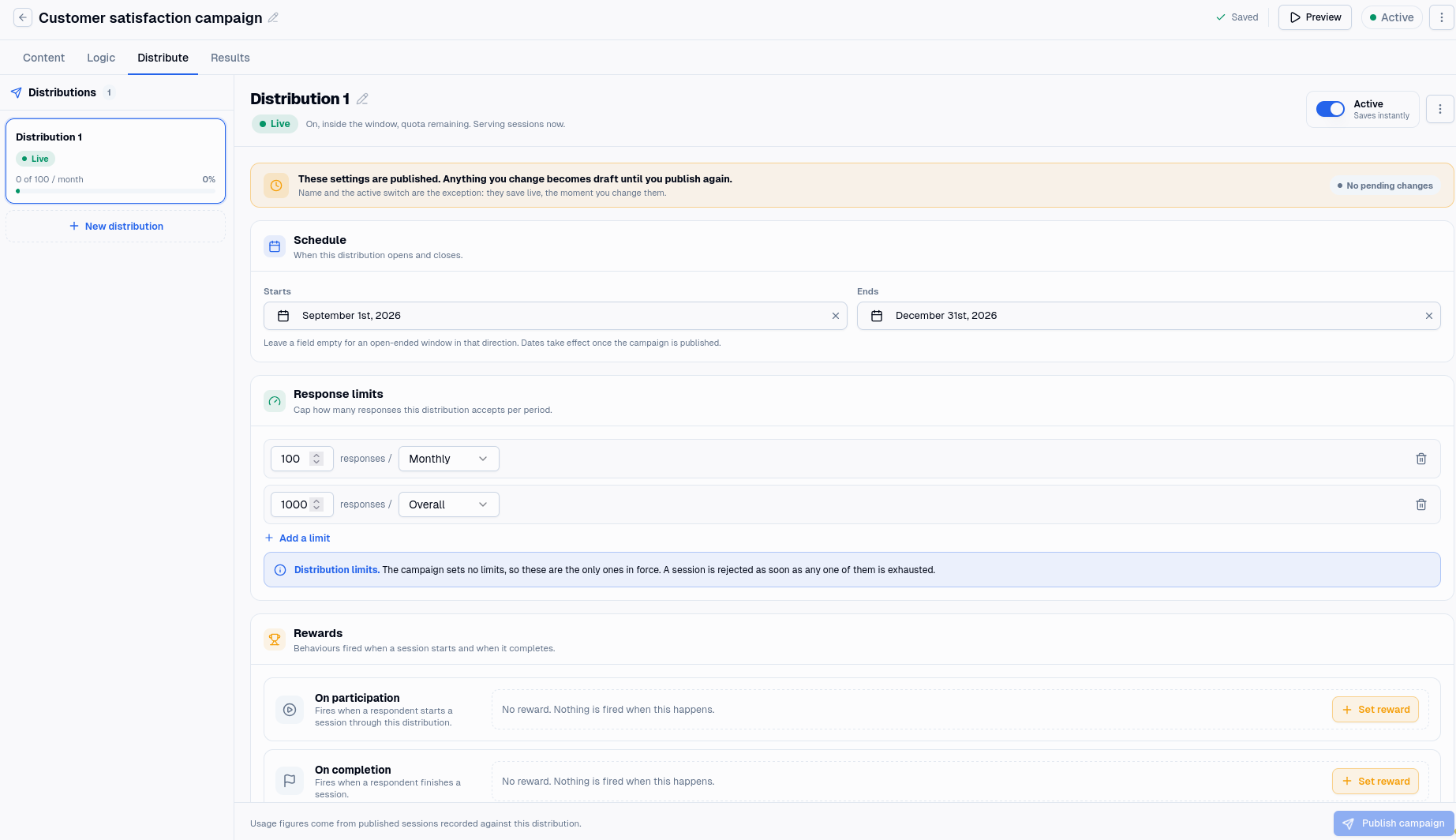
Distributions live on the Distribute tab. A new one needs only a name to exist.
The name and the Active switch behave differently from everything else on the tab. They save the moment you change them, so switching a distribution off stops it serving straight away, without publishing. Every other setting is a draft change and does nothing until the campaign is published.
There is no publish button on a distribution. Publishing the campaign publishes its distributions with it. A distribution that has never been through a campaign publish rejects everyone, even with its Active switch on.
Whether a distribution is serving
A distribution shows one of six statuses, worked out in this order. The first that applies wins.
| Status | Meaning |
|---|---|
| Draft | It has never been published, so it serves nobody yet. |
| Paused | Its Active switch is off. |
| Scheduled | On, but its start date has not arrived. |
| Ended | On, but its end date has passed. |
| Limit reached | On and inside its window, but its response limit is used up. |
| Live | On, inside its window, with room left. Serving now. |
Because the order matters, a paused distribution reads as Paused rather than Ended even if its end date has also passed. The status tells you the first reason it is not serving, not every reason.
Schedule
A distribution can open and close on dates you set. Leave the start empty and it is open from the moment it is published; leave the end empty and it stays open until you switch it off. The end date must be after the start date.
Dates take effect when the campaign is published, like the rest of the settings on this tab.
Response limits
A distribution can cap how many responses it will accept, per period or overall.
This cap sits under the campaign's rather than replacing it. The campaign's limit is a ceiling on every response, whichever distribution it came through; the distribution's is a share of that ceiling. A session is refused if either is used up, so a distribution with no limits of its own is still bound by the campaign's. See Response limits for how the counting works and why a cap can bite slightly early.
Rewards
A distribution can fire a behaviour at two moments, and each can carry points, metadata and activity content of its own.
On participation fires once Mambo knows who the participant is. If your integration says who is starting the session, that happens as the session begins. If the session starts anonymously, it happens when the campaign works out who they are, which is at the end. Someone who is never identified earns nothing at all, because there is no user to award. See Identifying participants.
On completion fires when a session completes. A session that was abandoned, disqualified or turned away earns nothing, however far through it got.
Only simple behaviours can be chosen here. That is not a limitation on what you can reward: a simple behaviour is what an activity tracks, and any flexible behaviours built on top of it are still evaluated against the metadata you attach to the reward. See Simple behaviours.
Alongside the behaviour, each reward can award points directly, attach metadata, and carry content that appears with the activity in the user's stream. Every reward that fires leaves an activity, and Results shows those activities beside the session that earned them.
Audience
Two settings decide who may take part through this distribution.
Require an authenticated user rejects anonymous sessions. Use it when a campaign is only meant for people you already know.
Only if a personalisation tag matches restricts the distribution to participants who share a personalisation tag with it. The rule is more forgiving than it sounds, and it lets everyone through unless all of these are true: the setting is on, at least one tag is attached to the distribution, and at least one of those tags is a personalisation tag. Only then does a participant need to carry a matching tag.
That leaves two ways to switch this on and have it do nothing, or everything:
- Attach no personalisation tags and it lets everyone through. Being a personalisation tag is a property of the tag itself, not of attaching it here, so a distribution tagged only with ordinary tags applies no restriction at all.
- Leave authentication off and it turns everyone away. An anonymous participant carries no tags, so there is nothing to match. Switch this on and you almost always want authentication on too.
Variable overrides
A distribution can replace the value of a campaign variable for its own participants, which is how one campaign greets two audiences differently without duplicating any of its pages. An override has to name a variable the campaign already defines.
Three places can set a variable, and the first that has a value wins:
- What your integration sends when it starts the session.
- The distribution's overrides.
- The value on the campaign.
See Variables.
Duplicating a distribution
Duplicating copies every setting into a new distribution, which is quicker than rebuilding a window and an audience by hand. The copy starts as a draft, so it serves nobody until the campaign is published again.
Deleting a distribution
Deleting is not immediate. The distribution is marked for deletion and nothing happens until the next campaign publish. Until then it carries on exactly as before, collecting responses.
Publishing is what carries it out, and it is permanent. The distribution goes, and so does every response collected through it. Your campaign totals drop by that amount: responses, completions, abandons and disqualifications all fall, and the averages move with them. Nothing restores them, so export the responses first if you might want them.
Two ways out before you publish. Keep cancels the deletion on its own, and discarding your unpublished changes cancels it along with everything else.